This page was translated by AI. Please be forgiving of any mistakes.
‹ Photo Notes · 12 července, 2016
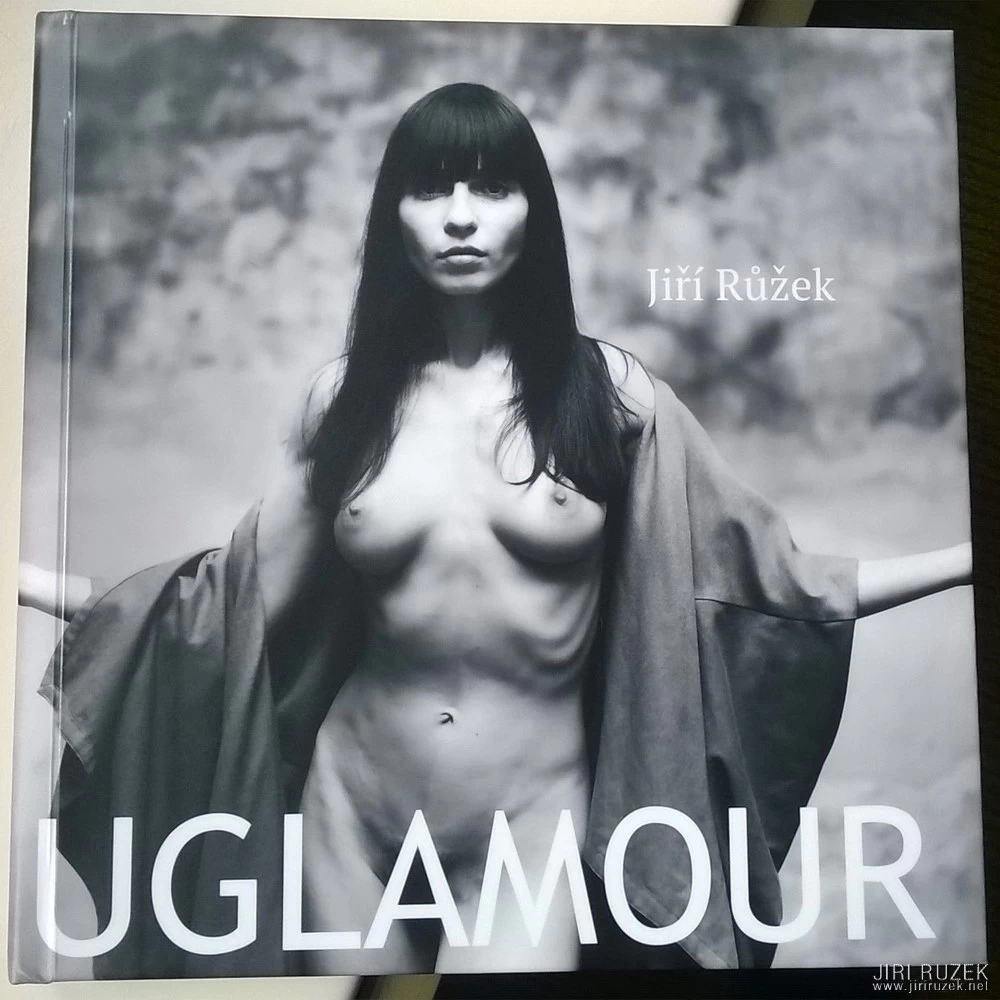
Recently I took part in testing the online creation of a photo book in the FotoŠkoda Designer application.
It was my first experience with a similar format; one-off photo book creation never interested me. I always saw it more as an opportunity, for example, for newlyweds or new parents to make a book as a keepsake, a gift for grandma and the like. Nothing for a photographer…
By agreement I started creating a book of roughly thirty pages, 20 x 20 cm, with a book binding.
The FotoŠkoda Designer web application didn’t surprise me with its user-friendliness; I somehow expected that automatically. After all, the point is that anyone can „click together“ a book regardless of printing or typographic knowledge. Other things surprised me, and I must say mostly pleasantly.
I really approached the application at first with a certain disdain (a little book with holiday snaps, and the print quality probably won’t match the standard I’m used to).
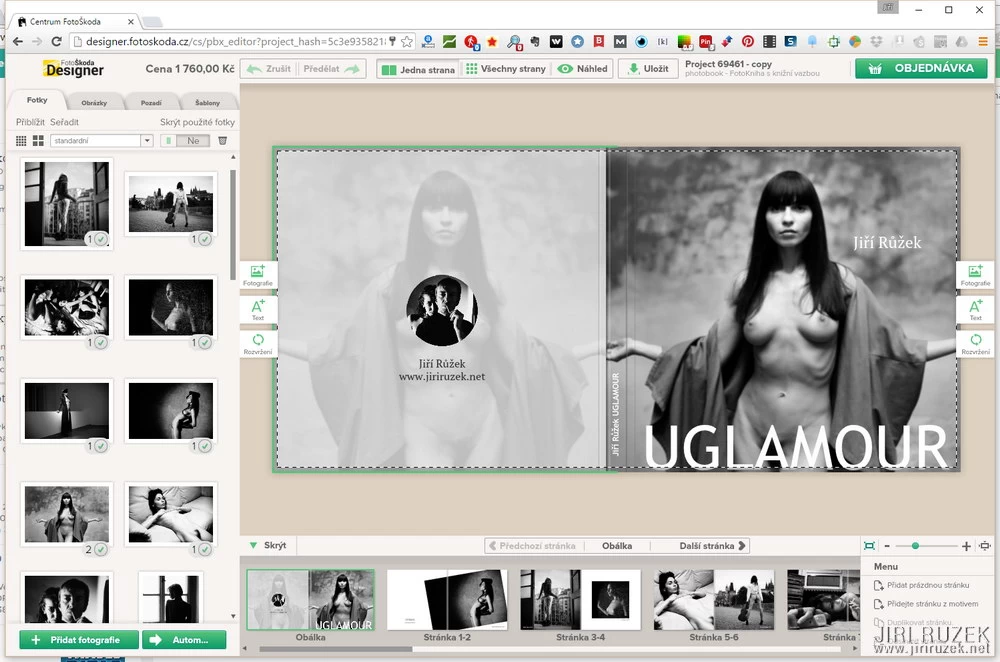
Right at the start the application prompted me to upload photos into the system. That was a bit of a snag, because I didn’t have a set of photos prepared, and so I clicked through my disk looking for suitable photographs in print resolution. Later I found out that uploading photos in advance isn’t necessary; it’s possible to do it directly during the preparation of the book. That was very pleasant, because I could change decisions on the fly and add the newest photographs too.
Placing photos on pages is very simple and intuitive. The application offers various templates; my (so far empty) book had pre-prepared slots for photos on each page. Somewhere there was one, elsewhere two, four and so on. I deleted most of the slots and in most cases left one, at most two photos on a page; I stretched some photograph across a double page.
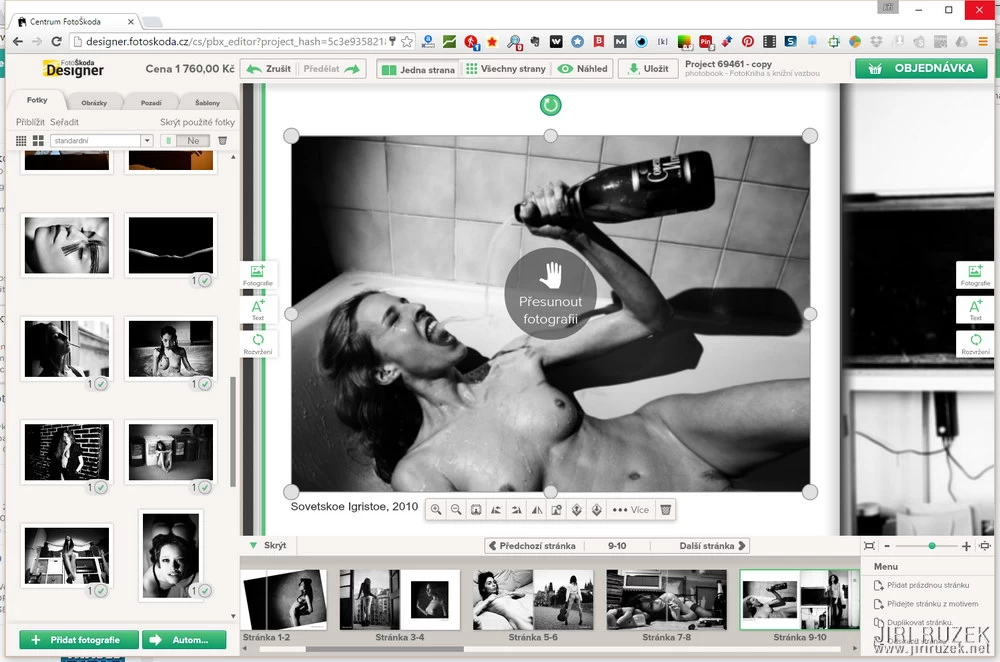
Photographs can be freely and completely intuitively moved, shrunk, enlarged, rotated or cropped.
There are only three icons at each page. The first serves to add a photo or more photos to the page, the second to add text. The most interesting for me was the third icon, whose label was the only slightly confusing one: it carries a graphic symbol for rotation and the text caption „Layout“. Try it, as I did. After clicking it automatically proposes (as it promises in the description) a layout of photographs on the page, even if you have only one photograph on it. The placement, size and crop, all very tasteful. The photograph can be moved within the crop, so there is no risk of chopped-off heads and so on. I gave in; on most pages I let this icon advise me and picked the best version.
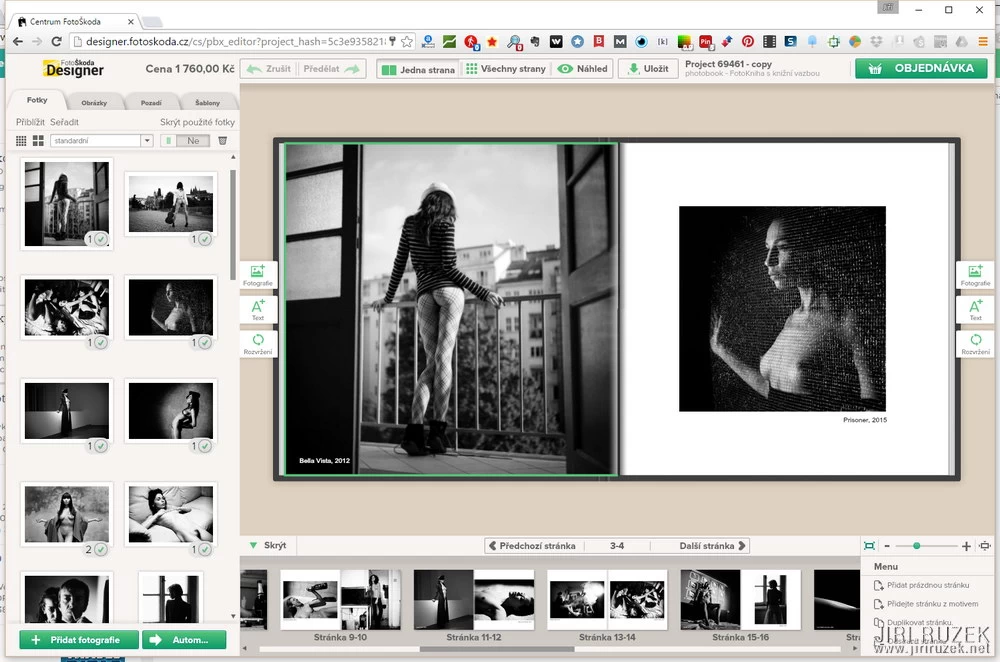
You don’t need to be afraid of ruining something; the application also has „Cancel“ and „Redo“ buttons (maybe the labels Undo and Redo would be clearer).
You can do other things with photographs: adjust brightness, contrast and transparency, convert them to black and white or sepia tone, add various types of frames or a mask (a heart, say). I used none of that, just as I didn’t add to the pages any of the offered pictures (party balloons, hearts etc.) or a page background.
Text functions are simple and fully sufficient. I’d only appreciate the option to add a shadow to the text; white text on a photo would be better visible.
And so on; in short, when you’re satisfied with the result, you complete the order and send the book to print…. To print?
We develop books!
I overlooked this slogan on the website, and when I got the finished book in my hands at FotoŠkoda Fest, I was truly surprised by the quality of the „print“. The thickness of the sheets threw me a little, but just as I was talking about printing on cardboard, it was explained to me that it isn’t printing and certainly not on cardboard, that one sheet is made up of two developed photographs glued together.
Does it make sense for a photographer?
Despite my prejudices I must say yes, quite. The quality is at a level you needn’t be ashamed of when someone leafs through your book. Given the higher price for one-off production it of course makes no sense to consider „publishing“ a book this way (at 32 pages the price would come to 1,760 CZK), but for someone who wants, say, one copy, perhaps as a gift, it is the optimal choice.
Another, and maybe even more interesting use is creating an impressive portfolio this way. A photo book costs you about the same as a quality presentation book and looks different.
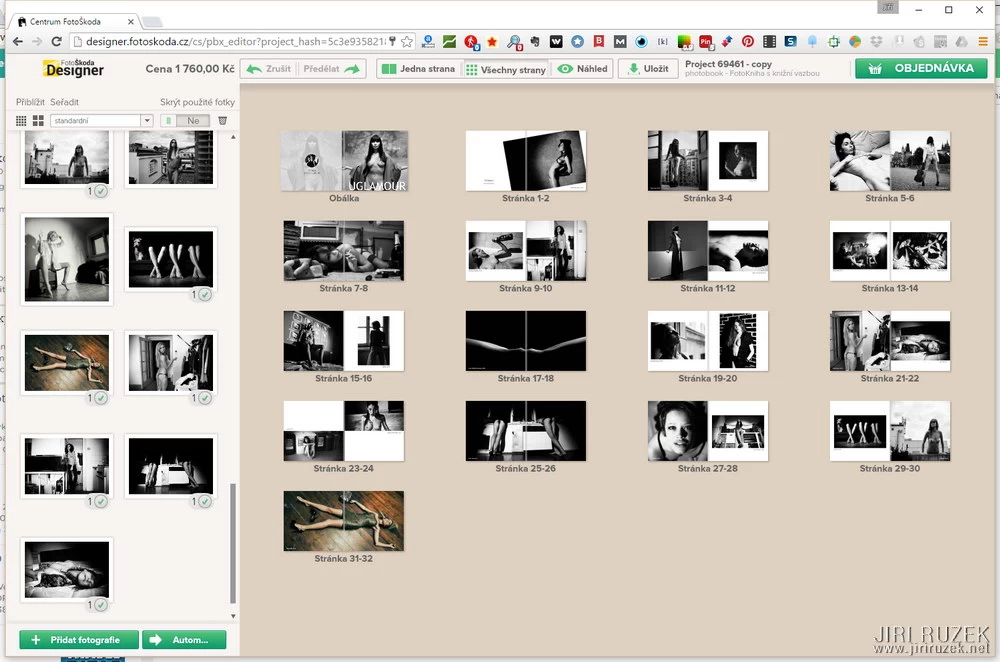
It’s repeatedly visible that FotoŠkoda goes for quality and a satisfied customer, and a successful 25 years on the market only confirms it. Their photo book is a genuinely quality product; if I wanted to find fault with anything, then perhaps only the thickness of the sheets.
Try it at http://designer.fotoskoda.cz/ or pop into Vodičkova Street and have them show you finished books. You’ll find mine there too …
Have a nice summer day 🙂