This page was translated by AI. Please be forgiving of any mistakes.
‹ Photo Notes · 12 listopadu, 2013
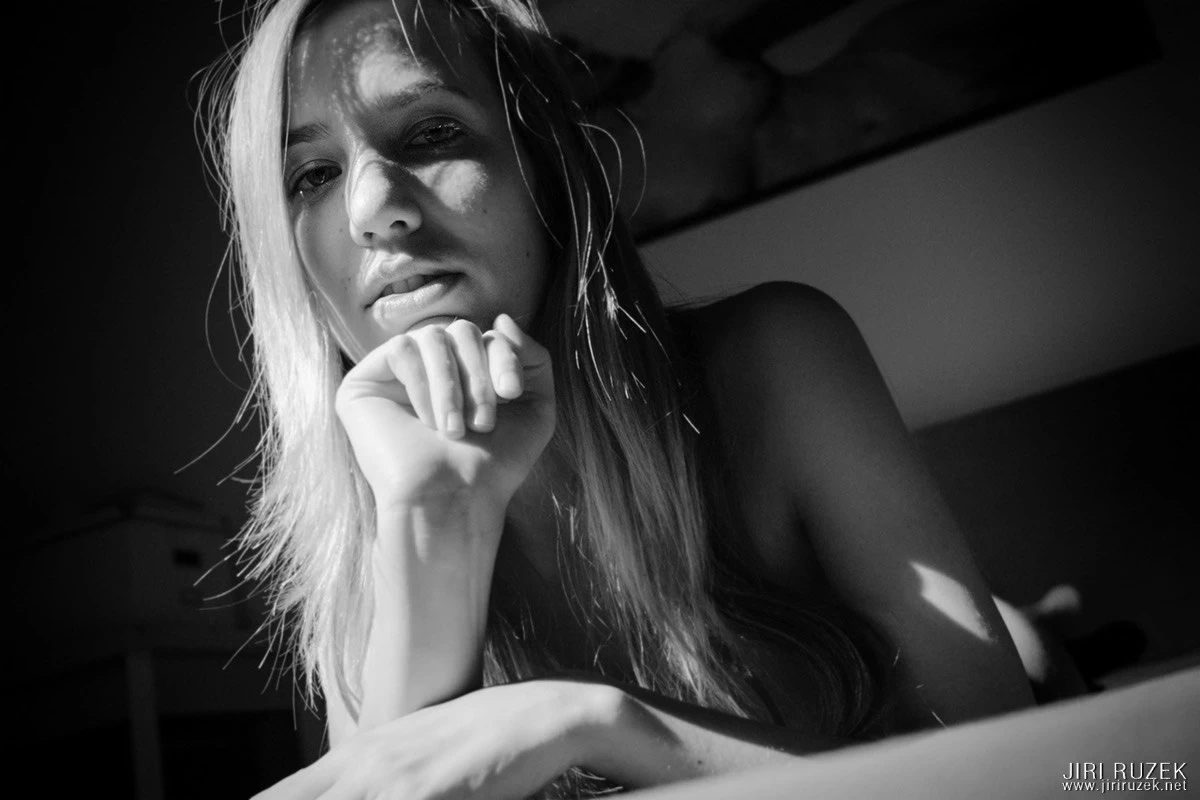
Today we’ll do it a bit in the style of Quentin Tarantino – I have two articles in my head (or rather three, but one is unrelated), but I’m writing them in reverse order. You won’t miss anything; next time I’ll return to an idea that is very closely connected with the topic of today’s article.
Whenever the advantages of analogue photography are discussed, the latitude of film is mentioned. Most often exposure latitude and dynamic range are recalled (which we can also translate as the flexibility of the dynamic range). A digital image is simply limited by numbers and a matrix (grid) of pixels. There are millions of them, but compared with analogue film they still run into precise limits that cannot be crossed.
One bugbear of digital photography is often forgotten, though – oversharpening.
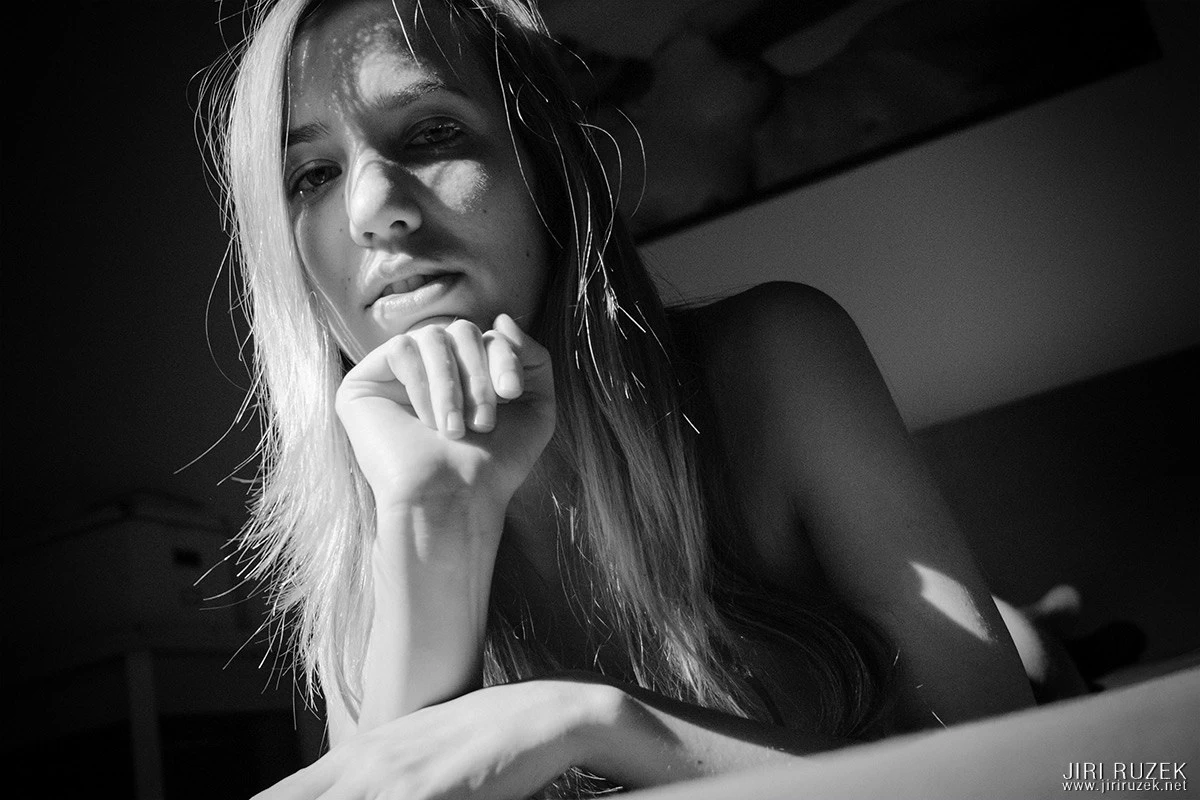
An oversharpened photograph – look at the hair and shoulders and compare with the more suitably edited photograph above.
Sometimes it arises on its own thanks to the limits mentioned above, at other times we help it along because in the menu among the effects we have various sharpening options, and those surely can’t be there for nothing.
They aren’t there for nothing; they are there for improving an unsharp photograph, sometimes also for touching up a photograph after resizing – especially in the past, resizing an image almost always meant blurring it. But photo editing programs are evolving, and resampling a photograph when shrinking or enlarging it is far better today. In most cases it is not necessary to sharpen. Quite the opposite.
When do we enlarge photographs?
When we need to print them in larger formats. There are special programs that recalculate the photograph in a better way and sharpen it nicely. I don’t use them, and in most cases I don’t sharpen after enlarging. Photographs printed in a large format then look pleasantly soft and thus resemble an analogue photo.
When do we shrink photographs?
Almost always when we want to show off on the internet – on our own pages, in a portfolio on one of the photo portals, on Facebook or other social networks and so on.
Most of my photographs for the internet I shrink to 1200 x 800 pixels. With this reduction the eyes sometimes get blurred, which is probably not quite what I’d wish for. But there are more critical areas, and among them are for example hair or a very specifically drawn curve of a flank, thigh and the like. After resampling these parts of the photograph often look oversharpened (jagged).
How do I defend against oversharpening?
I always work with the original size of the photograph. When a shot seems oversharpened to me, I create two layers. In one layer I keep the photograph sharp, as I obtained it thanks to the camera and the program I edit it in. This layer is oversharpened for me, but it will come in handy.
In the next layer I create a copy and blur it slightly – really only slightly, we’re not doing any circus tricks, it’s about softening, not smearing.
The viewer wants to see sharp eyes, though. That’s why I use a mask on the top (softened) layer. I pick a brush with a soft edge, choose a size corresponding to roughly half the width of the face (usually that’s 250, 500 or more pixels) and a very low brush opacity (mostly around 15%). That guarantees me very gentle masking. Gradually I mask out the middle part of the face until the eyes seem sharp enough to me. I must take care not to mask out the hair at the same time, because that is among the most delicate parts, in which you notice oversharpening.
And that’s all, the whole magic. After shrinking the photograph to my favourite 1200 x 800 I do a check, possibly lightly blur the hair again and everything that shouldn’t be too sharp, and I can export the photo for the web. The result is a pleasantly soft photo.
We can devote ourselves to masking in detail some time in the future, but next time I’ll most likely write about another much-discussed topic, whether it is bad when a digital photograph wants to resemble a photo from film.
Thank you for your attention, and if you want to learn more, come to a nude photography workshop.