This page was translated by AI. Please be forgiving of any mistakes.
‹ Photo Notes · 18 září, 2012
There is an endless multitude of mobile photo apps. I went through some of them, and today I want to tell you about several interesting ones.
Acacia
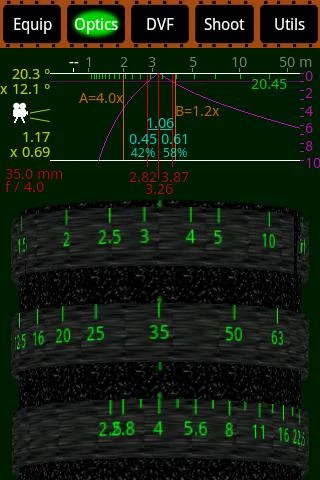
Acacia offers several interesting functions for photographers and filmmakers.
It allows easy management of your projects, adding your photo equipment (cameras, lenses, films…), saving and loading and so on.
On the virtual lens you choose, you can easily read off, for example, what the depth of field will be given the focal length, aperture and distance from the photographed object. Also interesting is the digital viewfinder with a compass. It can come in handy when preparing or documenting a project, when you’ll appreciate the information about the angle at which the lens of the camera was pointed. Nice, isn’t it?
Try it, it’s worth it.
For Android – download here.
beeCam Light Meter
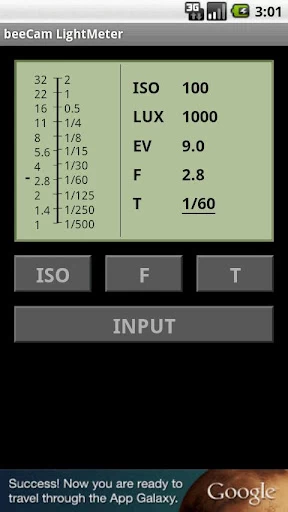
beeCam Light Meter is one of many light meters for mobile phones.
Quite frankly, I wouldn’t rely on any of them, but having one at hand can sometimes be better than nothing.
For Android – download here.
Photo Tools
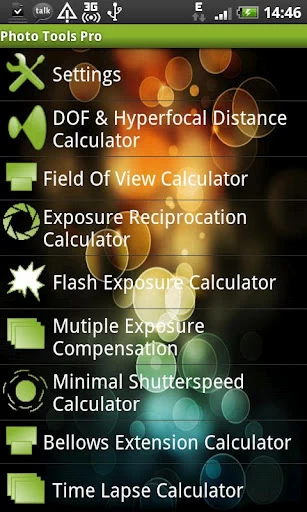
Photo Tools offers more than you can imagine. Calculators for all sorts of things (depth of field, hyperfocal distance, exposure, sunrise and sunset times and many more), an EXIF data reader, a histogram viewer, a grey card, a stopwatch and timer, a notebook, finger drawing, it also gives you information about the location and weather and so on…
I consider the so-called Check List a brilliant aid. It is a list of everything a photographer must not forget. You simply tick off what you’ve done (charge the flash battery, pack the tripod…) and when the Check List is empty, you can breathe out. The menu has 3 predefined lists (in English, of course): Before shooting, Ordinary shooting and Wedding, but you can save your own. Very useful, just don’t forget to tick off the Check List 🙂
For Android – download here.
SLR
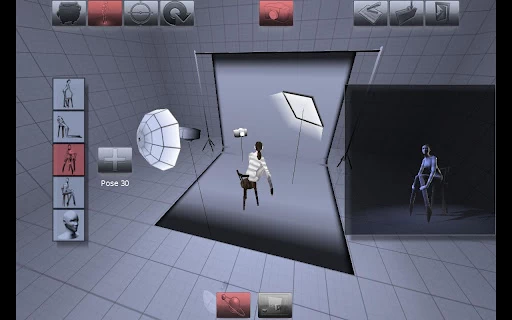
Studio Light Rigger is a completely unique 3D photo studio simulator.
From a rich library you choose light sources, reflectors or translucent panels, the pose of a female or male model (the object library even includes a plate of food or a car), you set everything including the camera position, and in a small window you see the result. All in 3D and in real time.
You can save scenes and load them again. It can come in handy for planning or documenting a scene.
RawVision
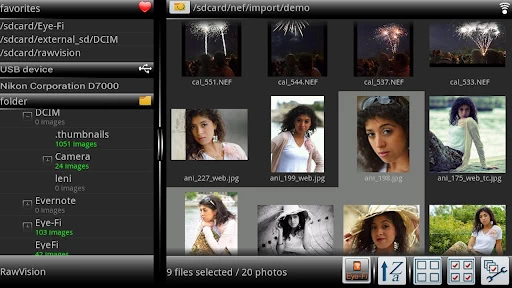
RawVision is a viewer and editor of photographs in Nikon, Canon, Pentax, JPG and PNG formats.
All work with photographs is simple; besides ordinary functions the program can apply various effects – one set is included, others can be bought for a few crowns.
A very clever program. It isn’t free, but not expensive either; the full version comes to under 200 crowns. A free demo version is available.
For Android – download here

Introducing Instagram is probably unnecessary, so just briefly for the truly untouched.
Instagram is probably the most popular photo-sharing program of the present. It is closely tied to Facebook and its principle is instant sharing of a moment. You simply take a shot in the street, on holiday or at a party, add a striking frame and an even more striking retro look, and together with the location and some comment send it to Instagram. The photograph appears on the phones of your friends (they too must have Instagram and be connected with you) and at the same time on your wall on Facebook. That’s all.
Instagram came from the iPhone platform, today it is commonly available on Android too. It inspired a number of similar apps, read about one interesting one below.
iPhone version here
Android version here
EyeEm
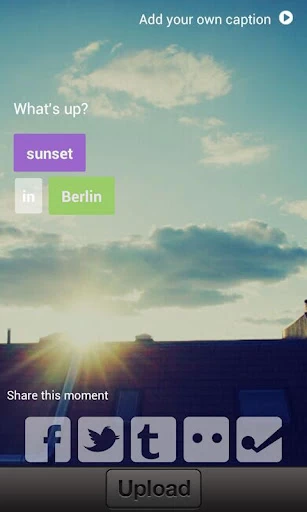 EyeEm comes from Berlin and is a new and, it seems, very successful app inspired by the aforementioned Instagram.
EyeEm works with photographs of any aspect ratio – Instagram makes everything square. The makers boast better work with data and it seems they are right. The program has its web interface and works more thoroughly with location, keywords and so on.
Try it, this time for MS Windows too.
iPhone version here
Android version here
Windows version here
That’s all for today; try and test 🙂